
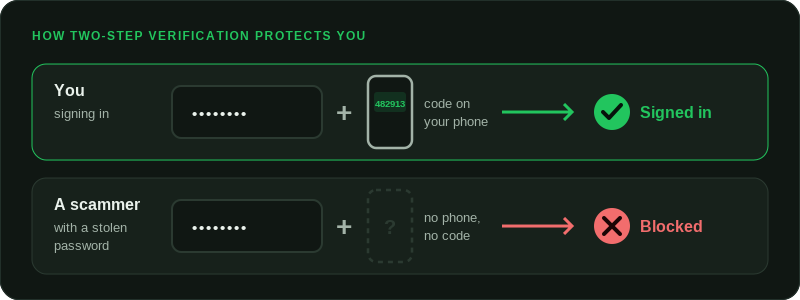
Two-step verification (also called 2FA) means that signing in takes your password plus a code from your phone. Even if a scammer gets your password, they can’t get in. Start with your email: whoever controls your email can reset every other password you have.
Google / Gmail
- Go to myaccount.google.com and sign in.
- Click Security (on the left, or at the top on a phone).
- Under How you sign in to Google, click 2-Step Verification and follow the steps.
Microsoft (Outlook, Hotmail, Xbox)
- Go to account.microsoft.com and sign in.
- Click Security, then Manage how I sign in.
- Turn on Two-step verification.
Apple Account
Apple turns this on for most accounts already. Check on an iPhone: Settingsyour nameSign-In & SecurityTwo-Factor Authentication.
Facebook and Instagram
SettingsAccounts CenterPassword and securityTwo-factor authentication.
Tip
When it asks how you want codes, an authenticator app (Google Authenticator or Microsoft Authenticator) is safer than text messages.
Important
Save the backup codes it shows you. Print them or write them down and keep them somewhere safe at home. They’re how you get back in if you lose your phone.
Caution
Nobody legitimate will ever ask you to read them a sign-in code. If someone calls or texts asking for “the code we just sent you”, it’s a scam. Hang up.