
A speed test only helps if you run it in a way that tells you something. Here’s how to find out whether you’re getting what you pay for, and whether the problem is the internet or your Wi-Fi.
1. Find your plan’s speed
Look at your internet bill or your provider’s app, e.g. “300 Mbps”. That’s the download speed you should get on a wired connection.
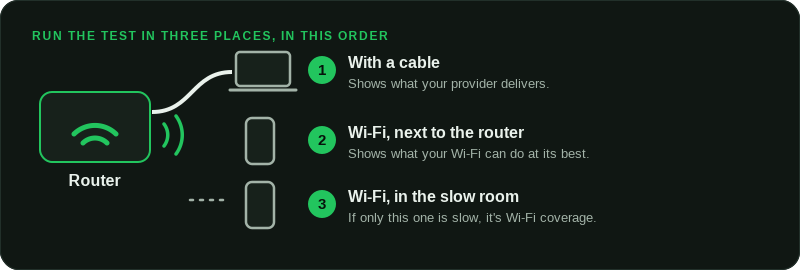
2. Test with a cable first
- Plug a laptop or computer straight into the router with a network cable.
- Close other programs and pause big downloads, streaming and game updates on other devices.
- Go to speedtest.net or fast.com and run the test three times.
If the wired result is well under your plan (less than about 70%), the problem is on your provider’s side. Call them with your results.
3. Then test on Wi-Fi
Run the same test on Wi-Fi: once next to the router, then in the rooms where it feels slow.
| Result | What it means |
|---|---|
| Wired fast, Wi-Fi next to the router fast, far rooms slow | Wi-Fi coverage: an extender or mesh system helps |
| Wired fast, Wi-Fi slow even next to the router | The router or the device’s Wi-Fi is the bottleneck |
| Wired slow | Your provider, or the modem |
Note
Older phones and laptops often can’t reach top Wi-Fi speeds no matter how good your router is. Test with your newest device for a fair result.
Tip
Screenshot your results. They’re exactly what your provider, or we, will ask for.