
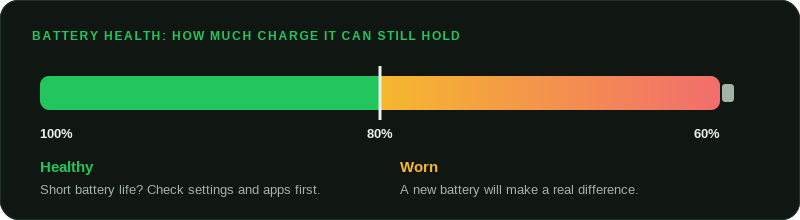
Batteries wear out with use. Checking their health tells you whether a short battery life is a settings issue or a battery that needs replacing.
iPhone
Open SettingsBatteryBattery Health (on some iOS versions it’s called Battery Health & Charging). Look at Maximum Capacity. Below about 80%, a new battery will make a real difference.
Android
It varies by brand. Try SettingsBatteryBattery health. On Samsung, open the Samsung Members app and go to SupportPhone diagnosticsBattery status.
Windows laptop
-
Right-click Start and choose Terminal (on Windows 10: Windows PowerShell).
-
Type this and press Enter:
powercfg /batteryreport -
It saves a file called battery-report.html and shows where (usually
C:\Users\YourName). Open it. -
Compare Design capacity with Full charge capacity. If the full charge is well under the design capacity (say, less than 70%), the battery is worn.
Mac laptop
Open Apple menuSystem SettingsBattery, then click the ⓘ next to Battery Health. “Normal” is good; “Service Recommended” means it’s time for a new one.
Caution
A battery that’s swollen (the case bulges, the trackpad clicks oddly, or the screen lifts) is a fire risk. Stop using and charging it and bring it in.
We replace batteries in phones, tablets, laptops and handhelds, often the same day.